Batatas Usmania.
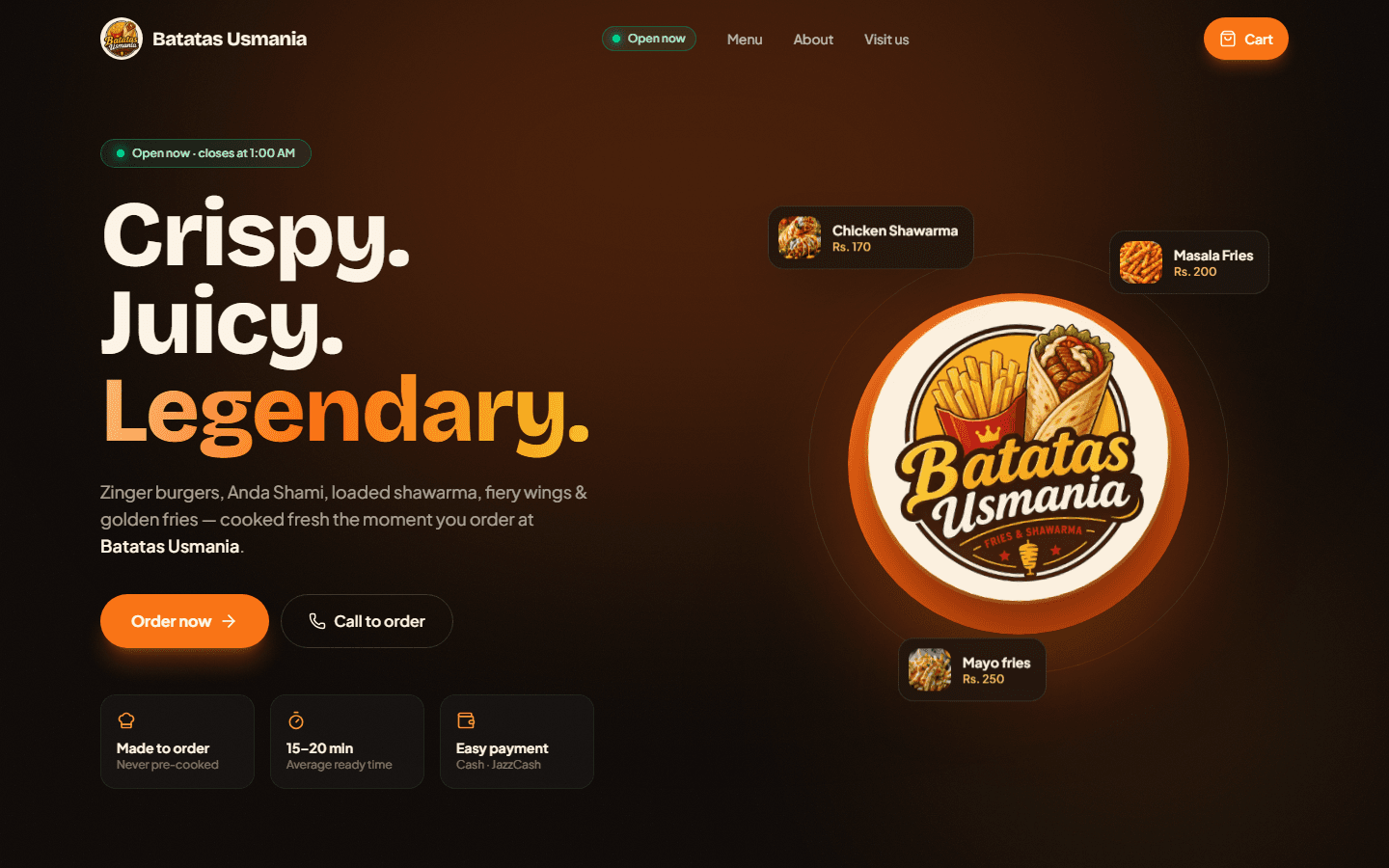
A cafe's website, online ordering and back-office in one app: customers order and track live, the owner runs the whole business from a phone.
- Client
- Batatas Usmania — cafe, Pakistan
- Role
- Product design, full-stack development, PWA, deployment
- Year
- 2026
- Hosting
- Vercel
01 — Overview
What it is
Batatas Usmania is a complete ordering and management system for a small cafe. The customer site has the menu, cart, checkout for takeaway, dine-in or delivery, and a live order-tracking page. Payment options include cash, JazzCash, EasyPaisa and bank transfer.
Behind it sits an admin panel built for the owner: a live orders board that beeps on new orders, a POS screen for walk-in and phone orders, menu and photo management, inventory, purchases and expenses, customers, and reports with CSV export and 80mm thermal receipts.
It is a single Next.js application: the frontend and the Node.js API are deployed together on Vercel, with Postgres for data. For local development a built-in PGlite database starts automatically, so nothing needs installing.
02 — Architecture
System at a glance
- 01
Customer / Owner
Browser, PWA, Android
- 02
Vercel
Next.js site + API
- 03
Proxy
Guards /admin
- 04
Route handlers
Orders, menu, chat
- 05
Postgres
Neon · PGlite locally
03 — Technology
Tech stack
Frontend
Backend
Data
Auth & alerts
Delivery
04 — Flow
How it works, step by step
- 1
Customer opens the site
The home page loads the hero, an 'Open now' badge computed from the cafe's hours and timezone, and the menu from /api/menu, grouped by category with photos, popular tags and sold-out states.
- 2
Cart and checkout
The cart lives on the client (drawer on desktop, sticky bar on mobile). Checkout collects order type, contact details and payment method, then posts to /api/orders, which looks up current prices server-side (never trusting the browser) and writes the order and its line items to Postgres.
- 3
Live tracking and chat
The customer lands on /order/<id>, which refreshes on its own as the status changes. A per-order chat (/api/chat) lets the cafe and customer talk, and customers can opt in to push notifications for status changes.
- 4
Owner is alerted instantly
New orders trigger a Web Push notification to the owner's subscribed devices (installed Android app or Chrome). VAPID keys are generated automatically on first use and stored in the database, so there is nothing to configure. The orders board also refreshes on its own and beeps.
- 5
Order moves through the kitchen
In the admin panel the owner accepts, then moves the order through preparing, ready and completed, marks it paid or cancels it, and prints a receipt sized for an 80mm thermal printer.
- 6
Business data feeds the reports
Purchases linked to inventory items raise stock levels, and the dashboard rolls everything up: today's sales, payments received, expenses, profit, a 14-day chart, best sellers and low-stock alerts. Reports cover any date range and export to CSV.
- 7
Admin area stays private
A proxy verifies a signed, httpOnly session cookie (30 days, so the owner stays signed in on the phone) for /admin and /api/admin. Browsers are redirected to login; API calls get a 401. API routes also check the session themselves.
05 — Features
What it does
- Online ordering with takeaway, dine-in and delivery, and four payment methods
- Live order tracking, per-order chat and customer push notifications
- Admin dashboard: sales, profit, expenses, best sellers, low stock
- Live orders board with sound alert and one-tap status changes
- POS screen for walk-in and phone orders with discounts
- Menu, categories and photo management (images stored in the database)
- Inventory with +/- controls, purchases and expenses linked to stock
- Customer list built from order history, with regulars and totals
- Reports with CSV export, printable view and 80mm receipts
- Installable PWA with service worker and offline page, plus a signed Android app build
- Settings for hours, delivery fee, payment instructions and pausing online orders
06 — Decisions
Design decisions
One app for site, API and back-office
Frontend and backend deploy together on Vercel, which removes a separate server to run and keeps the whole system free to host at cafe scale.
Schema created on first run
Tables use CREATE TABLE IF NOT EXISTS and the starter menu seeds itself, so deployment is push, connect a database, set three variables.
Zero-install local database
Leaving DATABASE_URL empty switches to PGlite stored in a local folder, so the same SQL runs in development and production.
Push without third-party keys
VAPID keys are generated once and kept in the database (env vars can override), so new-order alerts work without extra services.
Built for the owner's phone
Long-lived session cookie, installable PWA, large touch targets and thermal-printer receipts match how the cafe actually works.
07 — Delivery
Deployment
Pushed to GitHub and imported into Vercel with a Neon Postgres integration. ADMIN_USERNAME, ADMIN_PASSWORD, AUTH_SECRET and CAFE_TIMEZONE are environment variables; the first visit creates every table and loads the starter menu.